





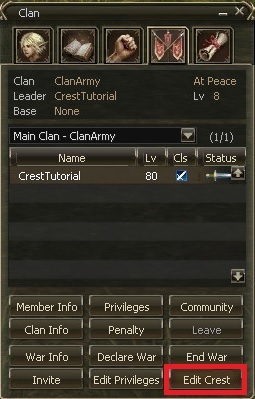
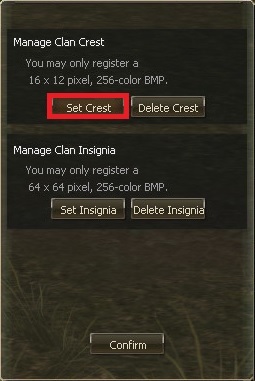
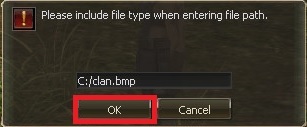
Now by pressing "OK" you complete the steps to add your lovely Lineage 2 clan crest.


Explore our site to discover a list of the top Lineage 2 servers, voted on by real players. Whether you're in search of newly opened servers or those coming soon, we've got you covered. You can conveniently sort servers by chronicles, with the most popular ones being Interlude, High Five, and Classic in 2023. Additionally, you can filter servers based on rates (x1, x7, x10, x15, x50, x100, x1200, and more), hosting country, platform (L2off or L2J), and server type (Normal, GvE, MultiSkill, StackSub). Rest assured, you won't miss any new or top Lineage 2 servers with us. Join our high-traffic L2 top list, and we guarantee players for your Lineage 2 server.

Trademarks are the property of their respective owners, all sites and servers are added by users.
Support requests: [email protected]